7 Best Slack Games for Work (No Installs)
Compare 7 Slack games for work. Async daily games, trivia, word games, prediction prompts, and more. All are quick, browser-based, and need no installs.
By Blake Johnston
If you are looking for Slack games for work, the best options are short, browser-based, and easy to join without turning the channel into a notification fountain.
Slack already carries most of a remote team's social life. That is exactly why a Slack game has a lower bar to clear and a bigger risk if it misses. A good game gives the channel one small shared thing to react to. A bad one pings people during focus time until someone mutes the channel where culture was supposed to happen.
If you are asking the literal question, yes. Slack can support games through channels, threads, polls, emoji, huddles, and browser links. The practical question is which games stay useful after the novelty wears off.
A good Slack game should do one of three jobs. Warm up a meeting, give the channel a moment of texture, or give a remote team a small shared thing without adding another call. Managers and People teams should choose the job first. If the game needs a host with theatre energy or a rules explanation longer than one message, it is the wrong game for the channel.
Slack-heavy companies usually run lighter than Teams-heavy ones. Fewer scheduled calls. More async habits. More timezone spread. The best Slack games respect that. They are quick, browser-based, optional, and easy to skip without drama.
If you want the product version, Halftime shows how daily browser games can use Slack for reminders and results while keeping the actual play out of the channel.
Quick answer. The Slack games that stick are short, optional, and browser-based. Use a two-minute async daily game for recurring team connection, trivia, word games, or emoji games for channel moments, and live session games for socials, retros, and kickoffs.
For a shortlist beyond Slack, compare these online games for coworkers. If you want to introduce a recurring game, the daily team games first-week plan includes an invitation and a simple rollout.
Best Slack games at a glance
| Game format | Best for | Live or async | Keep it to |
|---|---|---|---|
| Two-minute async daily game | Recurring team connection | Async | 2 minutes |
| Trivia | Light competition in one thread | Live or async | 5 questions |
| Word games | Quiet or analytical channels | Live or async | 2-5 minutes |
| Emoji games | Channels with existing emoji habits | Async | 1 prompt |
| Prediction and estimation games | Low-stakes participation in chat | Live or async | 1 prompt |
| Meeting opener games | Standups, retros, weekly meetings | Live | 3-5 minutes |
| Live session games | Socials, offsites, kickoffs | Live | 10-30 minutes |
The big decision is cadence. If you need one lively moment during a meeting or social, use an opener, a trivia round, or a live session game. If you need ongoing team connection, use an async daily game that runs through Slack without adding another call.
Which Slack game is best for employee engagement?
For recurring employee engagement, start with an optional async game that takes two minutes and gives the whole team one shared result. Live games are better for a scheduled social. Pairing tools, recognition, and surveys solve different engagement problems. Compare those in the Slack engagement tools guide.
How we evaluated these game formats
We compared each format by time to explain, joining friction, live or async fit, optional participation, facilitator effort, channel noise, and whether it can survive as a recurring work ritual. Halftime is our product and is the example used for the async daily-game format.
The Slack game test
Before you run a game in Slack, ask three questions.
Could someone ignore this today without being punished, confused, or chased tomorrow?
Can everyone join from the browser without installing anything?
Will the quietest person in the channel have a safe way to participate?
If the answer to any of those is no, choose something smaller.
The goal is not to make the channel playful all day. The goal is to give the team a repeatable way to interact as people, not just thread participants.
When Slack is enough, and when you need a game tool
Slack is enough when the game is simple. A chat prompt, a quick poll, one trivia question, or an emoji challenge posted by whoever remembered.
Use Slack by itself when
- the game is one prompt,
- anyone can explain it in one sentence,
- you do not need scoring, records, reminders, or a leaderboard, and
- the team only plays occasionally.
Use a browser-based game tool when the ritual needs to repeat. Daily games, team records, weekly champions, result posts, and reminders should not depend on one person remembering to post the prompt.
That is the job Halftime is built for. Slack carries the reminder and result, while the actual game opens in the browser so the channel stays clean.
1. Two-minute async daily game
The best recurring Slack game does not happen inside Slack at all.
It opens in the team's channel. People click through and play in the browser when they have a window. Results land later. The team gets a leaderboard, a record, a champion, or at least one person asking how someone else got that score.
That shape solves the biggest problem with Slack games, which is noise. The channel sees exactly two moments. The open and the result. Everything else happens in the browser.
It also solves timing. Live games require everyone present and in the right mood at the same time. Async games give people a window. Someone plays between customer calls. Someone plays after school drop-off. Someone plays from another timezone while the rest of the team is offline.
The shared result still exists.
That is why async works better as a habit. Live games are useful punctuation. Async games are rhythm.
This is the exact shape Halftime is built around. The game opens in your Slack channel each morning, everyone plays in the browser on their own time, and results come back to the channel.
2. Trivia in a thread
Trivia is a reliable work game because it gives people permission to be competitive about nonsense.
For Slack, keep trivia tight.
- Five questions max for a live round.
- One question per day for an async channel game.
- Answers in the thread, not the channel.
- A weekly result if you want a recurring ritual.
- Use general knowledge, work-safe pop culture, or light company trivia.
The thread rule matters more in Slack than anywhere else. One trivia question in the channel is a moment. Fifteen answer messages in the channel is a mess. Keep the question visible and let the thread absorb the chaos.
If you are weighing a hosted quiz tool for team trivia, see how Halftime compares to Kahoot for recurring work use.
3. Word games for quiet channels
Word games are good for Slack because they work in text, need no cameras, and give people a minute to think.
Strong formats include
- a five-letter word challenge,
- word scramble,
- acronym expansion,
- forbidden word,
- headline rewrite, and
- "name as many as you can" in 60 seconds.
These are especially useful for engineering teams, analytical teams, and channels where live small talk falls flat. A word game creates participation without asking anyone to perform enthusiasm.
The less performative the game, the more people will actually join.
4. Emoji games
Emoji games are the most Slack-native format because they build on habits the team already has.
Try
- telling a story in exactly three emoji and letting the channel guess,
- describing your week in one emoji,
- guessing the movie, project, or meeting from an emoji sequence,
- an emoji caption for a screenshot, or
- the emoji reaction poll, where the options are reactions on one message.
Emoji games have the smallest possible footprint. One prompt, reactions as answers, zero installs, zero links. They will not carry a ritual on their own, but they are the best zero-cost filler between bigger moments.
5. Prediction and estimation games
Prediction games are simple and surprisingly social, because every workplace already runs on uncertain guesses.
Ask
- how many messages this channel will get today,
- whether the release will ship before Thursday,
- how many meetings are on the team calendar this week,
- which emoji will be used most today, or
- how long the next standup will actually take.
The best estimation games are safe and mildly absurd. Do not estimate one person's output, one customer's value, or anything that would feel like performance management in costume.
Use the result as a laugh, not a metric.
6. Meeting opener games
Sometimes you need a room to loosen up quickly, and Slack teams still have standups, retros, and weekly calls.
Good meeting openers take less than five minutes and require almost no explanation. The best ones give people a specific action instead of asking them to be interesting on command.
Try
- one would-you-rather question,
- one over-under estimate,
- one "rank these three options" prompt,
- one word to describe the week, or
- one quick browser game before the agenda starts.
The rule is simple. Do not go around the room in order unless the team is tiny. Round-robins make people wait for their turn instead of listening. Let people answer in chat or jump in.
If the opener takes longer than the first agenda item, it has failed.
7. Live session games for socials
Live games still have a place.
Use them when the team is already together for a reason. Friday social, kickoff, retro, offsite, training break, or project wrap. In those moments a short game can reset the room and give people a reason to talk.
The trap is pretending every connection problem needs a live event.
Most teams do not need another recurring call. They need a lighter social surface between the calls they already have. That is where a daily async game beats a monthly fun hour for most remote and hybrid teams. The game is smaller, but it survives the normal workweek.
For the remote-specific version of this argument, see Slack games for remote teams.
Specific games to play on Slack with coworkers
Formats are useful, but sometimes you just want to name a game and drop a link in the channel. These browser games work through Slack today, take about two minutes each, and need no installs.
- Over/Under. Guess whether the real number is higher or lower, then argue about it in the thread.
- Common Thread. Find what links the words. Deceptively competitive.
- Anagram Sprint. Unscramble against the clock. Made for the chat crowd.
- Emoji Story. Tell it in emoji, let the team guess. The most Slack-shaped game there is.
- Duck Shoot. A quick arcade round for the minute between meetings.
- Tower Stack. A stacking game where one more block is always a mistake.
- Rapid Fire. Fast questions, faster regrets.
- Gone Fishin'. Cast, catch, and compare hauls.
Post one as a one-off icebreaker, or browse the full set of Slack team games to find the ones that fit your team's tone.
How to run Slack games without annoying people
The annoyance usually comes from the operating model, not the game.
Keep it in one channel. The game should have a home. It should not follow people into project channels.
Post two moments, not twenty. The open and the result. Everything else belongs in a thread or the browser.
Never tag everyone twice. One optional nudge is a ritual. Repeated tags are a chore with confetti on it.
Make passing normal. Optional participation is what keeps the game from becoming forced fun.
Stop while it is still working. A two-minute game people enjoyed beats a fifteen-minute game they politely endured.
What to look for in a Slack game tool
For work teams, the best tool is usually not the loudest one. Look for
- browser-based play,
- no downloads for teammates,
- async participation windows,
- Slack notifications for opening and results,
- short games that work on busy days,
- leaderboards, records, or weekly champions, and
- live mode for meetings when you actually need it.
The tool should make the ritual easier to repeat. If it gives the manager more prep work, it is not solving the real problem.
A simple Slack cadence
Start with this.
Daily. One optional async game, open for the workday. Weekly. One champion or leaderboard reveal. Meetings. One quick opener only when the room needs it. Socials. Live games when everyone is already together.
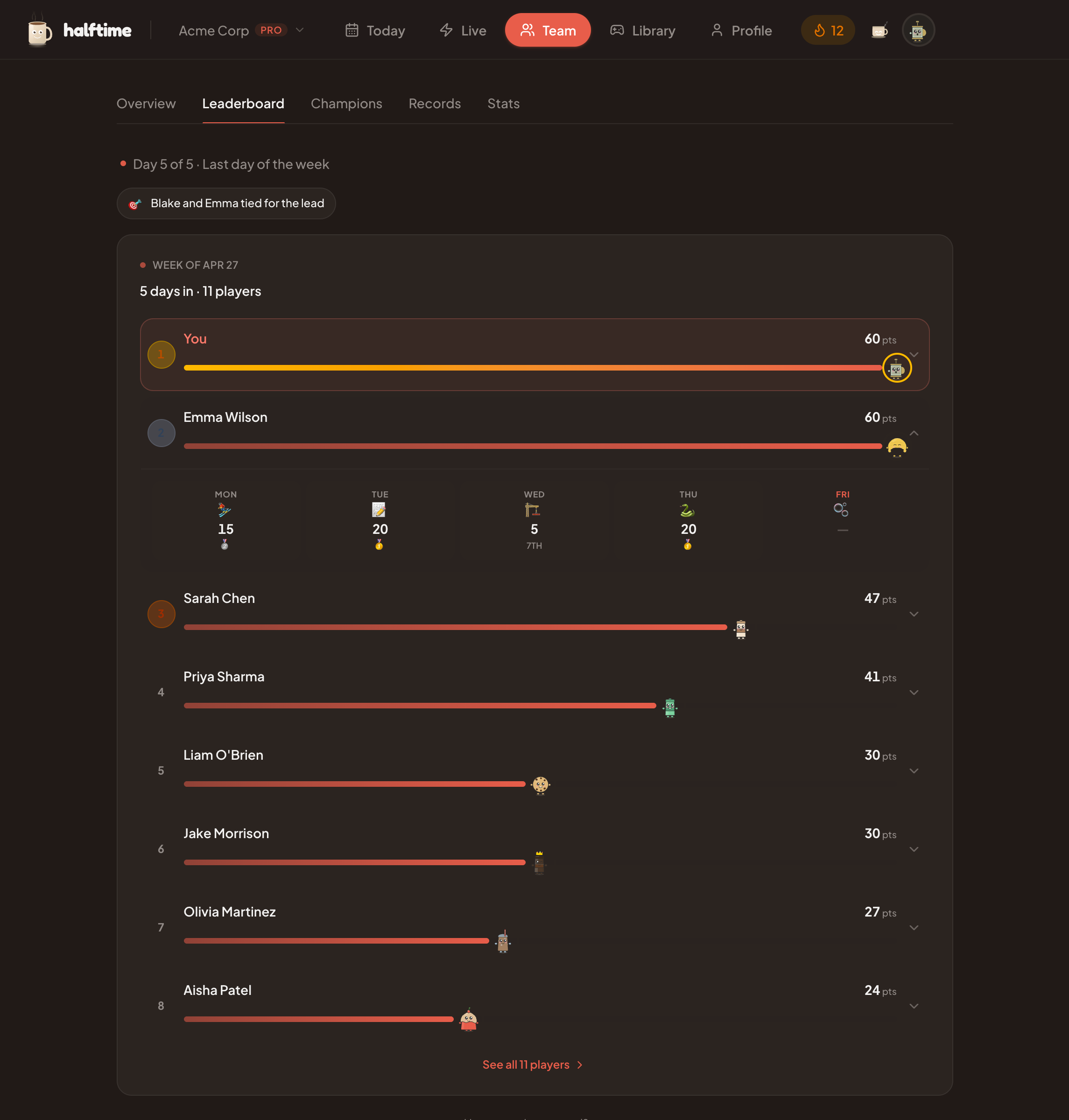
That is enough. The point is not to turn Slack into an arcade. The point is to give the team one small shared thing that does not need a meeting to exist.
Slack can carry the reminder and the result. The game can carry the conversation.
If your team runs on Slack, start a 30-day Halftime team pilot. The channel gets a daily two-minute game with browser play, leaderboards, and results the team can react to. No card required.
FAQ
Common questions
What are good Slack games for work?
Good Slack games for work are short, easy to join, work-appropriate, and useful without a long explanation. Async daily games, quick trivia, word games, estimation prompts, emoji games, prediction games, and lightweight leaderboards usually work better than long hosted activities.
How long should a Slack game take?
Keep Slack games under five minutes. For a recurring team ritual, two minutes is usually enough. Longer games can work for dedicated socials or team events, but a daily channel game should fit inside a coffee break.
Are Slack games better live or async?
Async Slack games are better for recurring team connection because people can play when their day allows. Live games work as meeting openers, retros, and Friday socials, but they should support the gathering rather than become another obligation.
Does Halftime work with Slack?
Yes. Halftime posts the daily game to your Slack channel, teammates play in the browser on their own time, and results come back to the channel. Slack carries the reminder and result moments while Halftime runs the game, scoring, and weekly champions.
What games can you play on Slack with coworkers?
Quick browser games work best with coworkers because nobody installs anything. Good picks include Over/Under, Common Thread, Anagram Sprint, Emoji Story, Duck Shoot, Tower Stack, Rapid Fire, and Gone Fishin'. Post the link in a Slack channel and everyone plays in the browser.
Are there free games to play on Slack?
Yes. Chat prompts, polls, trivia questions, and emoji games cost nothing to run inside Slack. Halftime's public games are also free to play in the browser without an account, and the free team plan keeps a daily puzzle, icebreaker, and joke.